

Fitday Review: Short Daily Workouts and a Walking-First Plan
Many fitness apps lose users within the first week because the workouts are too long or the goals feel out of reach. Fitday takes a different route: ten-minute sessions, a modest daily step goal and a plan that reveals one day at a time. We spent time with both the website and the iPhone app to see how well that approach holds up.
| Our score | 4.7 / 5 |
| Best for | Beginners and people returning to exercise |
| Platforms | iPhone, Android, web (onboarding only) |
| Plan length | 28 days, one workout per day |
| Typical workout | About 10 minutes, mat only |
| Daily targets | 7,500 steps and 1,200 kcal of activity (in our plan) |
| Tracking | Apple Health or Health Connect, no direct wearable pairing |
| Cost | Free quiz; paid subscription after a short, low-cost trial |
The approach: consistency over intensity
Fitday ai is built on the idea that a small amount of activity done every day is more useful than an ambitious plan that gets abandoned. Walking is the foundation, supported by tai chi, calisthenics and low-impact mobility work. Nutrition is handled through meal plans and reading material rather than calorie logging.
This makes the app a good match for people starting from a low activity level, coming back after a long break, or who have tried longer gym-based programs without sticking with them. The onboarding quiz uses inclusive wording, and the library includes workouts that can be done lying in bed. Together, these suggest the app is designed for a broader age range than many fitness apps. People who already train regularly or want high-intensity sessions will probably find it too light.
A typical day in the app
Opening the app takes you to the My Plan tab, which presents one task for the day. Day markers run along the top. Only the current day is unlocked, so the 28 days have to be completed in order. Underneath are your main goal and target weight with a progress bar, a workout counter that starts at 0 of 28, and a link to plan settings. A streak counter in the corner records consecutive active days.
The day’s workout appears as a single card with a thumbnail, title, duration and start button. Our Day 1 session was “Indoor Walking: Dynamic Lower-Body Mobility & Cadence,” a ten-minute video with one instructor in a simple, well-lit room. It starts with stretches, moves into walking in place with some full-body movements, and needs nothing beyond a mat and some floor space. There is no setup: you press start and follow along.
Below the workout card, the Today’s Activity section shows two rings, one for activity calories and one for steps. Our targets were 1,200 kcal and 7,500 steps. The step goal is lower than the 10,000-step default common in other apps, which makes it more achievable for beginners. An awards strip fills in as you hit milestones, starting with your first walking workout.
Because of these targets, skipping the video does not leave the day empty. There is still a step count to work toward, which supports the app’s focus on daily habits.
More workouts outside the plan
If you want to do more than the daily session, the dumbbell icon opens the full workout library. Workouts can be filtered by level, equipment and duration, and are arranged in themed rows. Among them are core-focused yoga sessions of about 10 minutes and 30 kcal, and a Bed Workouts row with 9-minute mobility and glute routines done lying down. Each workout card lists the duration and estimated calories burned, and a bookmark lets you save favourites.
The App Store listing describes the catalogue as walking, tai chi and calisthenics, mostly under 15 minutes, and this matched what we saw. The library deliberately sticks to short, low-impact sessions. These are easy to fit into a working day and manageable for anyone who has not exercised in a while.
Nutrition and reading material
Fitday does not include a food diary. Instead, nutrition is covered by seven essential guides in the Guides section. Four are meal plans: Vegetarian, Traditional (balanced), Mediterranean and High Protein. The other three cover supplements, emotional eating and general nutrition. Most take 10 to 12 minutes to read and open as designed, booklet-style documents inside the app. The meal plans come in separate versions for men and women. With this range of diets, most users can pick a plan close to how they already eat instead of switching to an unfamiliar one.
For shorter reading, the Stories section offers two-minute pieces in a swipeable, Instagram-style format. Topics include an introduction to tai chi, walking for weight loss, running compared with incline walking, calisthenics for beginners, and how intermittent fasting works. Stories are searchable and explain some of the reasoning behind the plan’s design.
Tracking your progress
The step and activity rings on the home screen depend on data from your phone or watch. Fitday does not pair with wearables directly. Instead, it reads from Apple Health on iPhone or Health Connect on Android, so any device that writes to these services is supported. The Progress tab asks you to connect one as soon as you open it. We recommend doing this on the first day so the step ring starts updating right away.
The rest of the Progress tab is kept simple. A weight history card shows starting, current and target weight, with a progress bar and a button to log new entries. A steps card compares today’s count with your target. There are no other charts or metrics.
Getting set up
Everything described above is built from an onboarding quiz, which is available on the website and in the app. The two versions lead to the same plan, but they differ in length.
| Web quiz | In-app quiz | |
|---|---|---|
| Questions | About 28 | About 11 |
| Time needed | Around 10 minutes | A few minutes |
| Detail collected | Higher | Lower |
The web version begins by asking for your gender, which Fitday says it uses to adjust the walking plan. It then covers your main goal, the body areas you want to focus on, current activity level, sleep, height and weight, and a few lifestyle questions. A plan created on the web carries over to the app, so the best approach is to take the longer quiz on the website and then use the app day to day.
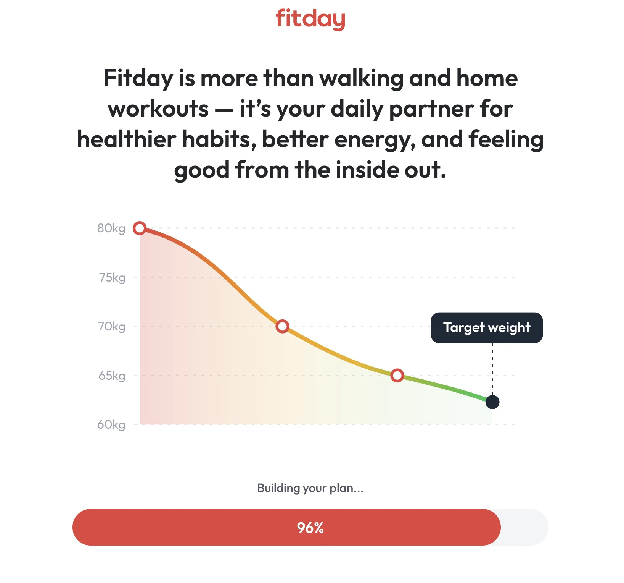
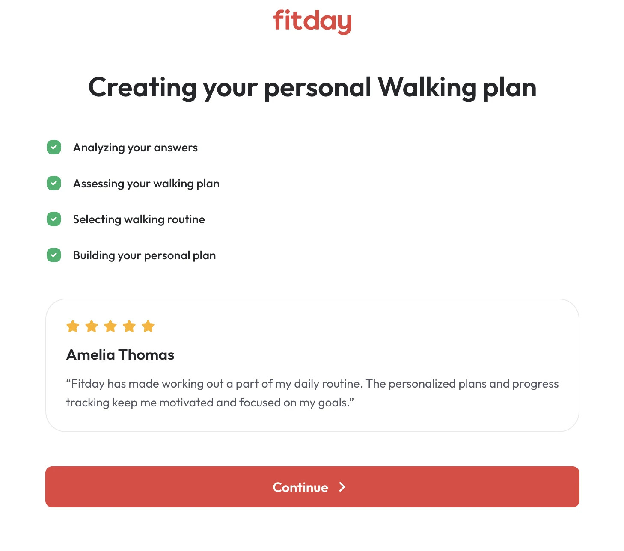
Once the quiz is done, a short loading screen appears while the plan is generated.
The results page shows your BMI on a colour scale with the healthy range marked, a brief note on the health risks of an unhealthy BMI, and three tags for body type, lifestyle and goal. Our results listed an endomorph body type and a moderately active lifestyle. The results are presented plainly and do not overstate what they mean.
The next screen projects your weight at 8, 16 and 32 weeks, along with a target date. Fitday states on the following page that the projection is not a guarantee of results. It is best read as an approximate timeline rather than a forecast.
The quiz and results cost nothing. To use the app itself, you need a subscription, which starts with a short, low-cost trial offered right after the results. Fitday’s FAQ lists three plans: Standard Access, Nutrition Essentials and Activity Essentials. We tested Standard Access. After signing up, the iPhone app opens on a welcome screen with options to get started or sign in.
Customer support
Help is available through the contact form on fitday.ai and the FAQ page. The website says support runs around the clock. We asked whether the plan adapts if you miss several days.
How Fitday compares
Several apps cover similar ground, each with a different emphasis.
| App | Focus | Compared with Fitday |
|---|---|---|
| MyFitnessPal | Calorie and macro logging | Far more detailed food tracking; Fitday relies on meal plans and guides |
| Noom | Habits and behaviour change | Similar goals, with a heavier load of coaching and lessons |
| BetterMe | Home workouts | Similar quiz-led setup and short sessions, but more HIIT and strength |
What separates Fitday is how little time it asks for each day and its focus on walking, which most of these competitors treat as a secondary feature.
Pros and cons
Pros
- Ten-minute workouts that need only a mat
- Realistic daily step target of 7,500
- A goal to work toward even on days without a workout
- Workout library with useful filters, including bed-based sessions
- Meal plans for several diets, in versions for men and women
- Automatic tracking through Apple Health or Health Connect
Cons
- Full access requires a paid subscription
- No direct pairing with wearables
- No food diary or macro tracking
- The more detailed quiz is only on the website
- Likely too light for people who already train regularly
How we tested
We took the onboarding quiz on both the website and the iPhone app. We checked reviews on Fitday, as well as external reviews on SoftwareWorld. We then used the app for the first part of the plan, covering the Day 1 workout, daily targets, the Progress tab, the workout library, and the Guides and Stories sections. We also sent a question to customer support. Our assessment is based on the iPhone app, which is where Fitday is intended to be used.
Final score: 4.7 / 5
Fitday does a limited set of things and does them consistently. The quiz collects enough detail to produce a sensible plan. Each day brings one short workout, with step and activity targets as a fallback, and Apple Health handles most of the tracking. The guides and meal plans add nutritional support without the effort of logging food.
It is not designed for experienced athletes or detailed diet tracking. For beginners, or anyone trying to rebuild a regular routine, it offers a realistic structure that is easy to keep up over several weeks.